For most solopreneurs, the best CRM is HubSpot's free tier, often paired with Notion for research and notes, because it keeps itself current while you focus on the work. A solopreneur has no colleague to remember the follow-up they forgot, and a CRM you have stopped updating is worse than no CRM at all.
Unlimited contacts, automatic email logging, and a real timeline, with the thinking and writing kept in Notion and synced across.
Pipeline-first, inexpensive, and easy to run solo without ever touching a feature you do not need.
Folk if relationships and enrichment matter most; Capsule if you want the basics done well and nothing more.
In this article
1.
2.
3.
4.
5.
6.
7.
8.
9.
Why HubSpot's free tier wins for most solopreneurs
HubSpot's free CRM is the most generous starting tier in the category, and it fits a one-person business almost perfectly. Unlimited contacts, a real pipeline, native Gmail and Outlook logging, email tracking, meeting scheduling, and an activity timeline that records every email and meeting against the right person on its own.
The unlimited contacts matter more for a solopreneur than for anyone. Over a few years you accumulate hundreds of people, most dormant, a few suddenly relevant when someone changes jobs or a past client comes back. CRMs that meter contacts on the free tier force you to pay or prune, and pruning your network is the last thing a solopreneur should do.
HubSpot also grows with you without a migration. The day you want a booking link, a simple lead-capture form, or a light email sequence, it is already built in. The paid tiers are expensive, but most solopreneurs never need them. Free is enough for a long time.
Other CRMs worth a look
Depending on how you work, a few alternatives are worth considering before you commit.
Bigin by Zoho
Purpose-built for solopreneurs and micro-businesses. Cheap, genuinely simple, and pipeline-first without the enterprise bloat. A strong pick if HubSpot feels like more than you want.
Folk
A relationship-led CRM with great contact enrichment and native LinkedIn integration. Worth trying if your business runs more on a network than on a transactional pipeline.
Capsule
The lightest of the established CRMs. It does the basics cleanly and stays out of your way, which suits a solopreneur who never plans to scale into a team.
Salesforce
The wrong answer for a business of one. Skip it entirely unless you are building toward a real sales org with dedicated operations.
The mistake when comparing solopreneur CRMs is treating the CRM choice as the decision that matters most. It is not. The decision that matters is whether you build the habit of writing the context down somewhere you trust. The CRM is just where the structured part of that context lives, and for a solopreneur the tool most likely to keep that habit alive is the one that fits into the way you already work.
What a solopreneur actually needs from a CRM
A solopreneur's CRM does not need enterprise features. It needs to do four unglamorous things reliably.
Keep itself current without your attention
The single biggest failure mode for a one-person CRM is that it goes stale. If keeping records accurate depends on you remembering to log every email, it will not stay accurate. The best solopreneur CRM does the boring capture in the background.
Never let a lead go cold by accident
You are switching between selling and delivering all day. The deal that dies is almost never the one you decided to pass on, it is the one you simply forgot to follow up on. The CRM has to surface the follow-up before it slips.
Cost close to nothing
A solopreneur's margin does not justify per-seat enterprise pricing. The right tool has a genuinely useful free or near-free tier, so the CRM is not one more subscription you resent every month.
Fit the tools you already live in
You already have a home base, and for a huge number of solopreneurs that home base is Notion. A CRM that forces you to abandon it for contact notes is a CRM you will quietly stop opening.
That last point is where most "best CRM" lists go wrong. They rank tools on feature count. For a solopreneur, the tool with sixty features you never touch loses every time to the one with six you use daily.
The best CRM for a solopreneur is not the most powerful one. It is the one that is still accurate the week you were too busy to touch it.
Why most solopreneurs try Notion first
There is a reason nearly every solopreneur reaches for Notion before they reach for a CRM. They are already there. The proposal template is in Notion. The client deliverables are in Notion. The content calendar, the SOPs, the invoice tracker, all in Notion. Adding a Contacts database feels like the natural next move, and for a while it genuinely works. If you want the full picture of what that build looks like and where it tops out, we covered it in our complete Notion CRM guide.
A typical solopreneur Notion CRM is two or three linked databases: People, Deals, and Notes. People holds everyone you have talked to, with their company and how you met. Deals track what is active and what stage it is in. Notes link back to both, capturing call summaries and follow-up plans. Add a board view grouped by stage and a calendar view for follow-ups, and one person can run twenty active relationships from a single workspace without paying for anything.
For a solopreneur in their first year or two, this is often all they need. The trouble starts later, and it starts in predictable places.
Where a Notion-only CRM breaks down for a solopreneur
The cracks appear in the same order for almost everyone.
- 1
You stop logging email
Every email to a prospect is context that should live on their record. A real CRM captures it automatically through a connected inbox. In Notion, you have to remember, summarize, and paste each one by hand. You manage it for a few weeks. Then a busy stretch hits, you fall behind, and now the record is a partial story you no longer fully trust.
- 2
Follow-ups start slipping
Solopreneur sales cycles are lumpy. A lead goes quiet for three weeks while you are heads-down on delivery, and the reminder to re-engage lives in a Notion property that is easy to dismiss and easy to miss. A purpose-built CRM pushes that stale deal at you from the pipeline, the daily view, and a reminder at once.
- 3
The full history gets scattered
Before a call, you want the whole relationship on one screen. In HubSpot that is the activity timeline: every email, note, and meeting in order. In Notion the same context is spread across pages and databases that may or may not be linked, and reassembling it takes real effort right when you have the least time.
- 4
Nothing runs on its own
A solopreneur's scarcest resource is attention. Notion cannot send the follow-up nudge, log the reply, or move the deal stage when an email comes in. Every one of those is a manual step, and manual steps are exactly what a one-person business cannot afford at volume.
None of this means Notion failed. It means Notion is a workspace, not a CRM engine. For the deeper version of where the line sits and at what point you cross it, see where a Notion CRM stops being enough.
What to look for in a solopreneur CRM
Before comparing products, lock the criteria. For a one-person business the list is short.
Solopreneur CRM criteria
A free or genuinely cheap starting tier, with no per-seat pricing to punish you for being a business of one.
Native Gmail or Outlook integration, so email logging happens without you thinking about it.
Automatic reminders that surface a stale deal before it goes cold.
An activity timeline that reads like the story of a relationship, not a wall of database rows.
Respect for the workspace you already use, which for many solopreneurs is Notion.
The last one is the criterion the listicles skip, and it is the one that decides whether you actually keep using the CRM. A tool that makes you give up Notion for notes loses to a tool that lets you keep writing where you already write.
The Notion plus HubSpot setup solopreneurs settle on
Here is the pattern that keeps showing up once a solopreneur outgrows a Notion-only CRM but does not want to abandon Notion.
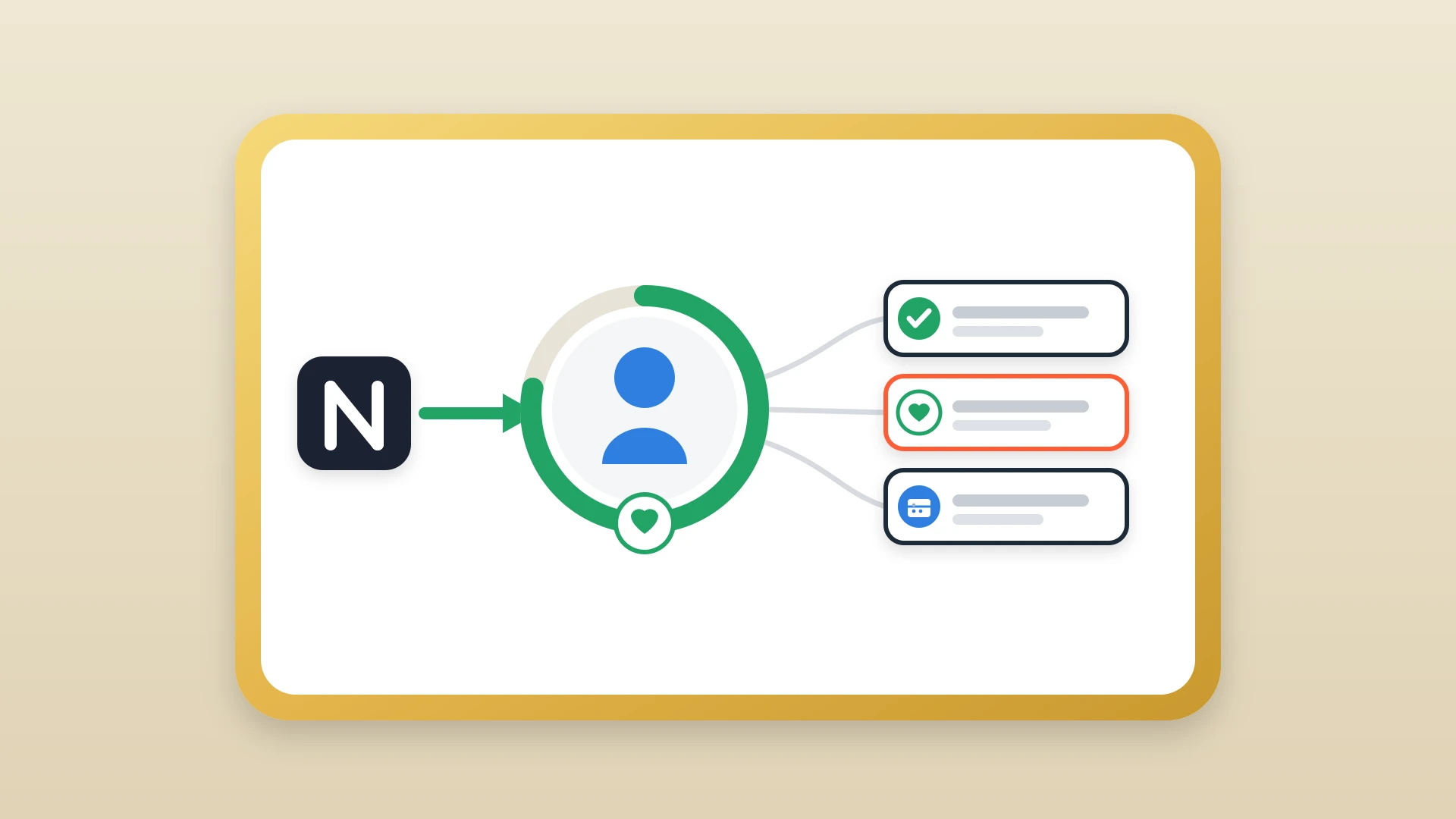
Notion holds what you think about a prospect. HubSpot holds what you do with them.
You keep writing pre-call research, meeting notes, and pitch strategy in Notion, because it is a far better writing environment than any CRM. HubSpot tracks the structured side: which leads are active, what stage each deal is in, when the next follow-up is due, and what was said in the last email. The two tools do different jobs, and trying to force one to do both is where solopreneurs lose either their writing space or their pipeline discipline. This is the same division of labor we make the full case for in why Notion is the best environment for strategy and HubSpot is the best for execution.
In practice it runs like this:
- 1
A lead comes in
Someone reaches out or you meet them at an event. They go into HubSpot as a contact, which auto-logs the first email thread.
- 2
You do the thinking in Notion
You open Notion and write up what you know: the context, the fit, a rough plan for the pitch.
- 3
The meeting note gets written once
After the call, the summary and next steps go into Notion as a structured note, where you already keep everything.
- 4
That note shows up in HubSpot
The note surfaces on the HubSpot contact record, so the next time you open it before a follow-up, the full context sits right next to the email history without you copying anything over.
The only part that needs deliberate setup is the bridge between the two, because Notion and HubSpot have no native integration that puts your notes onto the HubSpot timeline. That gap is exactly what NoteLinker fills.
Keep Running Your Business in Notion. Let HubSpot Handle the Pipeline.
NoteLinker surfaces your Notion notes and databases directly inside the HubSpot contact and deal records, so a solopreneur gets Notion's flexibility and a real CRM's memory at the same time.
Getting started without losing what you have
If you have been running a Notion CRM, moving to HubSpot does not mean throwing it away.
- 1
Export and import your contacts
Export your Notion People database as CSV and import it into HubSpot. The standard fields map over cleanly in a few minutes.
- 2
Rebuild your pipeline stages
Set up your HubSpot pipeline to mirror the deal stages you were already using, so nothing about how you think changes.
- 3
Connect your inbox
Link Gmail or Outlook so the timeline starts filling in on its own. This is the step that ends the manual logging problem for good.
- 4
Keep writing notes in Notion
Do not migrate years of notes by hand. Leave the history in Notion as reference and sync new notes forward from the day you connect the two.
The solopreneurs who never lose a deal to a forgotten follow-up are not the ones with the most powerful CRM. They are the ones who paired a place to think with a place to execute, and made sure the two stayed connected. For a business where you are the only person who can drop the ball, that is the setup worth ten minutes to build.