HubSpot deal notes are one of those features that look simple in a product tour and turn into a quiet productivity drain in practice. The basic flow takes two clicks. The hard part is everything around it: getting the team to actually write notes, getting the notes to land on the right record, and getting them to be useful a month later when someone else has to pick up the deal.
This guide covers the practical side of working with HubSpot deal notes. How to add them, how they show up across records, the difference between deal notes and contact notes, what makes a deal note actually useful, and the bigger problem of qualitative notes that live in other tools and never reach the HubSpot timeline. By the end you should have a working note discipline and a clear answer to "where should the team be writing these."
In this article
1.
2.
3.
4.
5.
6.
7.
8.
9.
10.
What HubSpot deal notes actually are
A HubSpot deal note is a piece of content attached to a specific deal record, visible on the deal's activity timeline. Notes can hold plain text, rich formatting (headings, bullets, bold, links), file attachments, and @mentions of other team members. They show up alongside emails, meetings, calls, and tasks in the chronological activity log that defines what HubSpot calls the "context" of the deal.
The note model is deliberately flexible. A note can be the rep's three-line summary of a discovery call, a longer write-up of a stakeholder map, a paragraph dictating next steps, a copy of a competitive analysis, or anything else the rep wants to memorialize on the deal record. There is no required structure. The trade-off is that nothing forces consistency across notes or reps.
How to add a note to a HubSpot deal
The mechanical flow.
- 1
Open the deal record
Reach it from the Sales > Deals list or from any associated contact or company record.
- 2
Click the Notes tab
At the top of the activity timeline, select the Notes tab in the activity composer.
- 3
Write or paste the note
Use the formatting toolbar for headings, bullets, bold text, and links.
- 4
Mention a teammate (optional)
@mention a colleague to notify them that the note exists.
- 5
Save
Click Save and the note posts to the timeline immediately.
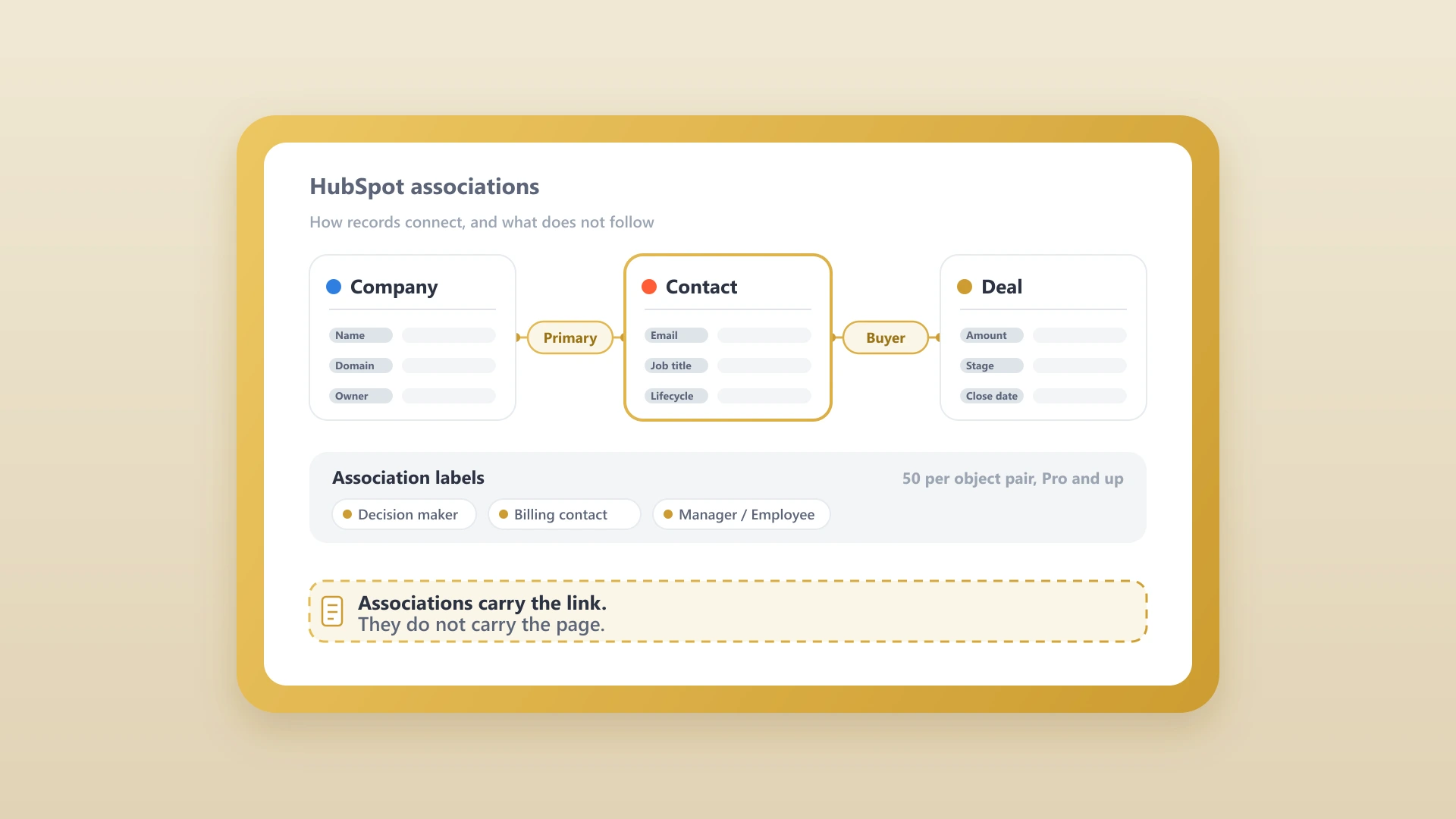
The note appears at the top of the activity timeline (sorted by most recent) and on every contact and company record associated with the deal. The reverse is also true: a note created on a contact record can be associated with one or more deals if the rep selects them at save time.
Deal notes vs contact notes vs engagements
The distinction matters because the wrong choice produces notes that are hard to find later.
Deal notes
Attached to a specific opportunity. They describe a specific conversation, decision, or context that belongs to that deal. Most rep notes belong here.
Contact notes
Attached to a person and follow them across every deal they are associated with. They belong on the contact when the content is about the relationship broadly (the person's role, their preferences, their personal context) rather than a specific opportunity.
Engagement notes
The summary fields that live inside a call, email, or meeting record. A meeting engagement, for example, has a "Notes" field for what was discussed. These are useful when the note is specifically about the meeting and gets value from being attached to it.
Write the long-form context as a deal note, write the people-level context as a contact note, and let the engagement-level notes capture meeting-specific summaries.
What makes a HubSpot deal note actually useful
A deal note that gets opened a month later is one that the next reader can scan in 30 seconds and understand. Three patterns separate useful notes from forgettable ones.
Structured headings
A deal note with H2 sections (Context, Decisions, Next Steps) is dramatically easier to scan than the same content as a paragraph. The activity timeline shows notes in a compact preview, and structure makes the preview legible.
Explicit decisions
A note that says "we discussed pricing" forces the reader to dig. A note that says "Acme will accept the pricing if we extend the trial by 30 days" tells them what happened. Pull the decision out of the discussion and make it the first line under the Decisions heading.
Action items with owner and date
"Sarah will send revised pricing to Mike by Thursday" is actionable. "Follow up on pricing" is not. The format Owner-Verb-Object-Date is what separates a note that produces follow-through from a note that disappears.
For sales teams that already run on a structured meeting notes template, the general meeting notes template post covers the format that translates cleanly into a HubSpot deal note. For sales-specific calls, the sales call notes template is the more focused version.
Pinned notes and what to pin
The pin feature is underused at most teams and is the single biggest lever for making deal records readable when they hold months of activity.
What to pin on a deal record
- The deal narrative or one-pager that summarizes who, what, why, and when.
- The stakeholder map (who decides, who influences, who can kill the deal).
- The current pricing or contract status if it has moved through multiple rounds.
- Any context the next rep to open the deal absolutely needs to know.
The hidden problem: notes that never reach the deal
The mechanical flow above works for notes a rep writes directly inside HubSpot. The problem at most teams is that the best notes get written somewhere else.
Reps write detailed call summaries in Notion because Notion is a better writing environment than HubSpot's note field. AI notetakers produce structured summaries in their own apps. Account strategy lives in Google Docs. Meeting notes from client check-ins live in a shared team workspace. None of that content ends up on the HubSpot deal record unless someone manually moves it, and at most teams, nobody does.
The deal record shows the numbers and stages, but the qualitative context lives in someone's head or in five different documents.
The cost is visible the moment a new rep picks up the deal. The deal record shows structured fields (stage, value, close date, owner) and a sparse activity timeline. The qualitative context (what the prospect actually said, what the competitive dynamics are, what is going to make this deal close) lives in someone's head or in five different documents. The pipeline review becomes a guessing game.
This is the gap that determines whether HubSpot deal notes are actually pulling their weight on your team. The post on the hidden cost of copy-pasting notes between Notion and HubSpot covers the case for fixing it.
Syncing notes from external writing tools
Three approaches, in increasing order of how well they actually work.
Manual copy-paste
The rep finishes the note in Notion or their AI notetaker, copies it, pastes it into the HubSpot deal note composer, manually re-applies formatting, attaches it to the deal, and saves. The whole thing takes three to five minutes per note. At ten notes a week, that is 30 to 60 minutes of rep time used for shuttling text. The teams that "have a note discipline" usually mean the manager is the one doing the shuttling.
Generic automation tools (Zapier, Make)
Either can move text between Notion and HubSpot and handle the trigger fine, but they struggle with rich content. Notion's API returns pages as a tree of blocks, and Zapier reads that tree as a flat text dump. The output that lands in HubSpot is technically correct and visually ugly: headings flattened into paragraphs, bullets stripped, links replaced with raw URLs. The team stops trusting the sync, and the workflow dies within a quarter.
Purpose-built sync tools
A tool built specifically for the Notion-to-HubSpot pairing handles the block-to-formatted-note translation that generic tools cannot. For this specific case, NoteLinker is the answer: syncing a Notion row pushes the formatted page onto the matching HubSpot contact or deal timeline, with headings, bullets, and bold text preserved. The two-minute setup guide covers the install end to end, and the full Notion HubSpot integration guide compares this approach against every other way to connect the two tools.
Purpose-built sync (NoteLinker)
- Preserves headings, bullets, and bold
- Attaches to the right record by match
- Two-minute setup, nothing to maintain
- Built for the Notion-to-HubSpot case
Generic automation (Zapier, Make)
- Flattens headings into paragraphs
- Strips bullets and mangles links
- Breaks when Notion changes block types
- Becomes a maintenance job reps stop trusting
For AI notetaker output, most of the major notetakers (Granola, Fireflies, Read AI) have native HubSpot integrations that handle the structured summary case directly. The best AI notetakers for HubSpot guide covers which ones write to HubSpot cleanly. The Notion side is the part those notetakers do not cover, which is why a separate sync layer earns its seat.
Push Your Notion Notes Onto HubSpot Deal Timelines
NoteLinker syncs formatted Notion notes onto the matching HubSpot deal and contact timelines automatically. No copy-paste, no Zapier maintenance.
Common HubSpot deal notes mistakes
Four patterns that consistently make deal notes worse than no notes.
Writing only after the deal closes
Notes written in retrospect are written from memory. They miss the specific language used, the decisions that felt obvious at the time, and the action items nobody wrote down. Write during or immediately after the conversation, not weeks later.
Pasting transcripts as the note
An AI notetaker transcript is useful raw data. A 4,000-word transcript pasted into a deal note is unreadable. Summarize, then attach the full transcript as a file if it matters. The summary is what gets used.
Treating the note as private
Reps sometimes write notes assuming only they will read them, mixing professional context with internal commentary that is unhelpful for the next reader. Write notes as if a teammate will read them tomorrow, because that is what is going to happen.
No structure
A paragraph of unformatted prose is harder to scan than the same content with headings and bullets. The activity timeline previews are short, so structure makes the preview informative. Use headings (Context, Decisions, Next Steps) even on short notes.
Pulling it all together
Deal notes are the freeform layer of context that makes HubSpot's structured data legible. Without them, the deal record holds the numbers and stages but not the why behind the numbers. With them (and a discipline that gets them written consistently, formatted clearly, and synced from wherever reps actually write), the deal record becomes the document that anyone on the team can open and understand.
The biggest lift is not in writing the note. It is in closing the gap between where the qualitative work happens and where the rest of the team reads from.
The biggest lift for most teams is not in the mechanics of writing the note. It is in closing the gap between where the qualitative work happens (Notion, Google Docs, the AI notetaker) and where the rest of the team reads from (the HubSpot deal timeline). Close that gap and every HubSpot deal note discipline downstream gets easier.