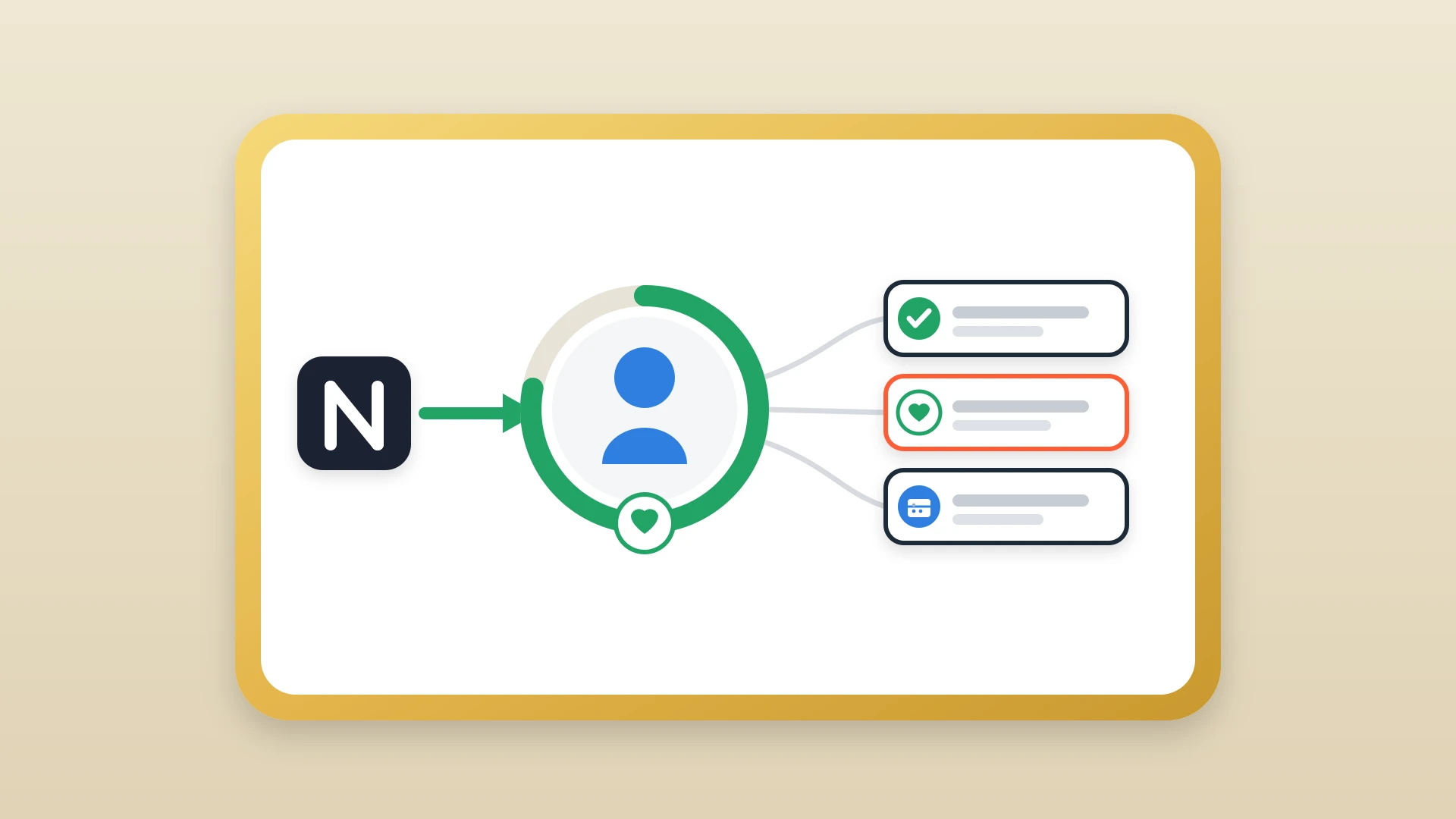
For most independent and boutique consultants, the best CRM is HubSpot's free tier, often paired with Notion for client research and meeting notes. A CRM, for a consultant, is not a sales tool: it is an external memory that turns scattered context into compounding revenue.
Unlimited contacts, native email logging, and a real activity timeline, with the qualitative work kept in Notion and synced across.
Pipedrive if you think in pipeline stages; Folk if you want a contact app that does not assume a transactional motion.
Light, fast, and unobtrusive. Enough for a practice that is not trying to scale into a team.
In this article
1.
2.
3.
4.
5.
6.
7.
8.
9.
Why HubSpot's free tier wins for most consultants
HubSpot's free CRM is the most generous starting tier in the category. Unlimited contacts, unlimited users, a real pipeline view, native Gmail and Outlook integration, email tracking, meeting scheduling, and a contact activity timeline that automatically logs every email and meeting against the right record.
For a consultant, the unlimited contacts matter. You will accumulate hundreds of contacts over the course of a practice, most of them dormant, some of them suddenly active when a former colleague gets a new role. CRMs that meter contacts on the free tier force you to either pay or prune, and pruning a consultant's network is the wrong instinct.
HubSpot also has the most mature ecosystem of any free CRM. When you eventually need calendar booking, a simple proposal workflow, or a marketing site that captures leads into the same database, HubSpot has it built in. The paid tiers are expensive, but most consultants never need them. The free tier is enough.
Other CRMs worth considering
A few alternatives are worth a quick look depending on how you work.
Pipedrive
A cleaner, more pipeline-focused interface than HubSpot. Consultants who think in stages and movement, rather than in accounts and relationships, often prefer it. The free tier is more limited, and the cheapest paid plan starts at around fifteen dollars per user per month.
Folk
A newer CRM built for relationship-led businesses, including consultants and agencies. Strong contact enrichment, native LinkedIn integration, and an interface that does not assume a transactional sales motion. Worth trying if HubSpot feels too sales-shaped for your practice.
Capsule
The lightest of the established CRMs. It does the basics well and stays out of your way. A reasonable choice for a consultant who wants something simpler than HubSpot and does not foresee scaling beyond a solo practice.
Salesforce
The wrong answer. Skip it unless you are running a consulting firm with twenty plus people and a dedicated ops function.
The most common mistake when comparing consultant CRMs is treating the CRM choice as the decision that matters most. It is not. The decision that matters most is whether you build a habit of writing the context down, in whatever tool you trust to remember it. The CRM is just where the structured part of that context lives.
What consultants actually need from a CRM
Strip away the enterprise features and a consultant's CRM has to do four things well.
Remember everyone
Every person you have ever talked to, including the prospect from a conference two years ago who is now hiring. A consultant's network is the asset, and the CRM is where it lives.
Surface the right follow-up at the right time
Without you having to keep a parallel to-do list. The follow-up that happens six weeks after a discovery call is often the difference between winning the engagement and losing it to silence.
Hold the qualitative context
The client's stated goals, the unspoken political dynamics, the off-hand comment that turned out to be the real brief. This is what makes consulting different from transactional sales.
Stay out of the way
Do all of the above without becoming a second job. For consultants, the friction of logging an interaction is the friction of doing the work itself.
That last point is where most CRM evaluations go wrong. A tool with sixty features you never use is worse than a tool with six you use every day. If your CRM takes three clicks and a dropdown to record a follow-up, the follow-up will not get recorded.
The best CRM for a consultant is not the one with the most features. It is the one your future self will actually open every Monday morning.
Why most consultants try Notion first
There is a reason Notion templates dominate every "best Notion setup for consultants" post on the internet. Most consultants already live in Notion. Their proposals are there. Their meeting notes are there. Their internal SOPs and client deliverables are there. Adding a contacts database feels like the obvious next step, and for a while, it works.
A typical Notion CRM for a consultant looks like three linked databases: Clients, Engagements, and Notes. The Clients database holds the people you talk to with their company, role, and source. Engagements track active and past projects with status, value, and renewal dates. Notes link back to clients and engagements, capturing every call summary and email exchange. With a board view grouped by stage and a calendar view for follow-ups, a consultant can manage twenty active relationships from a single workspace.
The appeal is real. Notion is free, infinitely customizable, and already where the consulting work happens. There is no context switch between writing a proposal and updating the pipeline. The client database lives next to the deliverable, which lives next to the invoice template. For a solo consultant in their first two years, this is often enough.
Where Notion-only setups break down for consultants
The cracks show up in the same places, in roughly the same order.
- 1
Email stops getting logged
Every email you send to a client is a data point that should attach to that client's record. In a real CRM, this happens automatically through a browser extension or a connected mailbox. In Notion, every email has to be remembered, summarized, and pasted in by hand. The first month, you do it diligently. By month three, you have stopped, and your CRM is now a partial record you no longer trust.
- 2
Timing slips
Consulting deals are slow. A follow-up six weeks after a discovery call is normal, and the difference between that follow-up happening and not happening is often the difference between winning and losing to silence. Notion has reminders, but they are scattered and easy to dismiss. A purpose-built CRM surfaces a stale deal in a daily digest, on a pipeline view, and as an activity reminder, all at once.
- 3
The activity timeline fragments
When you open a client record in HubSpot, you see a chronological log of every email, call, meeting, and note. Before a follow-up, you scan ninety days of context in thirty seconds. In Notion, the same context is spread across pages, databases, and meeting notes that may or may not be linked. The friction is small for one client. For thirty, it is the reason you stop opening the CRM at all.
- 4
Reporting breaks
The moment you take on a partner or a part-time biz dev contractor, you need to know which deals are real, which are stuck, and where time is being spent. Notion can be coaxed into these views with formula properties and rollups, but the dashboard breaks the moment someone renames a select option, and nobody has time to fix it.
What to look for in a CRM as a consultant
Before comparing specific products, fix the criteria.
Consultant CRM criteria
- A free or low-cost starting tier, because consulting margins do not justify enterprise pricing for a one-person practice.
- Native email integration with Gmail or Outlook, so logging happens in the background.
- A pipeline view that fits a longer, more relationship-driven sales cycle.
- An activity timeline that reads like a story of the relationship, not a flat list of database rows.
- Respect for the writing environment you actually use, which for many consultants is Notion.
The last criterion is the one most CRM comparisons ignore, and it is the most important. A CRM that forces you to abandon Notion for client notes will lose to a CRM that lets you keep writing where you already write.
The Notion plus HubSpot setup that experienced consultants use
Here is the pattern that keeps showing up in mature consulting practices.
Notion holds what you think about your clients. HubSpot holds what you do with them.
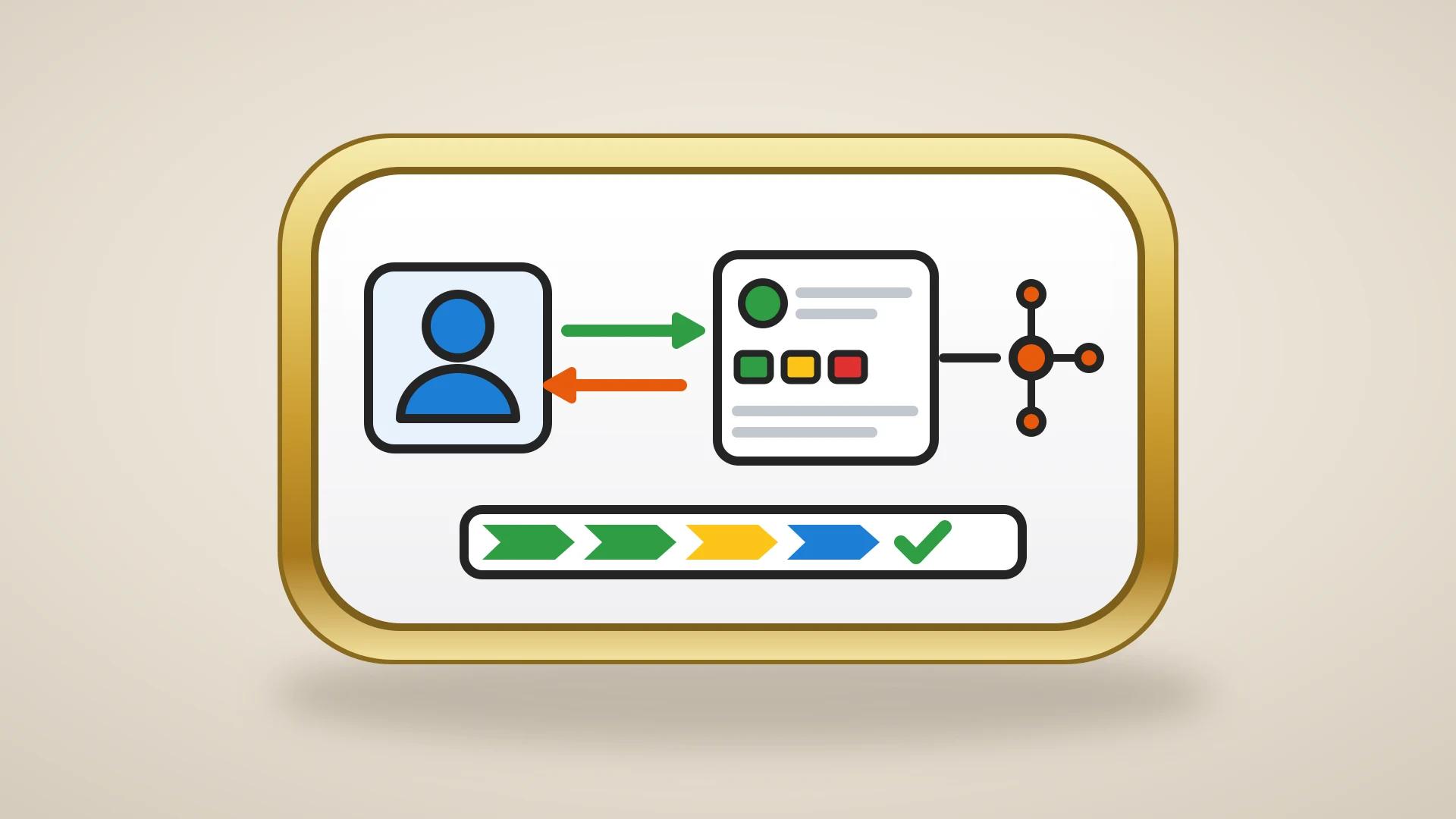
The consultant writes pre-call research, meeting notes, and engagement strategy in Notion because it is a better writing environment than any CRM ever built. The HubSpot pipeline tracks the structured side of the practice: which prospects are active, what stage each engagement is in, when the next follow-up is due, and what got said in the last email exchange. The two tools serve different cognitive functions, and consultants who try to collapse them into one always lose something.
The architecture looks like this in practice:
- 1
A lead comes in
A new lead arrives through a referral. The consultant adds them to HubSpot as a contact, which auto-logs the introduction email.
- 2
Research happens in Notion
They open Notion and create a research page on the prospect's company, including notes from the referrer and a few minutes of LinkedIn reading.
- 3
The meeting summary gets written once
After the discovery call, the meeting summary goes into Notion as a structured note.
- 4
The note syncs to HubSpot
That note syncs to the HubSpot contact timeline, so the next time the consultant opens the record before a follow-up, the full discovery context is right there alongside the email history.
This is not a workaround. It is the cleanest division of labor between two tools that are each excellent at one thing. The only piece that requires deliberate setup is the bridge between them, because Notion and HubSpot do not have a native integration that pushes notes onto the HubSpot timeline.
For a deeper look at when this architecture starts paying off, see our piece on why Notion is the best environment for strategy and HubSpot is the best for execution.
Keep Writing in Notion. Let HubSpot Stay in Sync.
NoteLinker shows your Notion client notes directly inside the HubSpot contact and deal records you already have open.
How to migrate without losing your existing notes
If you have been running a Notion CRM for a while, the move to HubSpot does not have to mean abandoning what you already have.
- 1
Export and import your contacts
Export your Notion contacts as CSV and import them into HubSpot. The mapping is straightforward for the standard fields.
- 2
Mirror your pipeline
Set up your HubSpot pipeline to match the deal stages you were already using in Notion.
- 3
Connect your email
Connect Gmail or Outlook so the timeline starts populating automatically. None of this takes more than an afternoon.
- 4
Decide what to do with old notes
Copying years of meeting notes into HubSpot one at a time is not realistic. Most consultants leave the historical notes in Notion as a reference and start syncing new notes forward from the day they connect the two systems.
The teams that get this right do not pick between Notion and a real CRM. They use both, deliberately, with a clear sense of which tool is doing what job. For a consultant whose practice depends on remembering more than the next person, that is the setup worth investing in.